
Scanner Supply
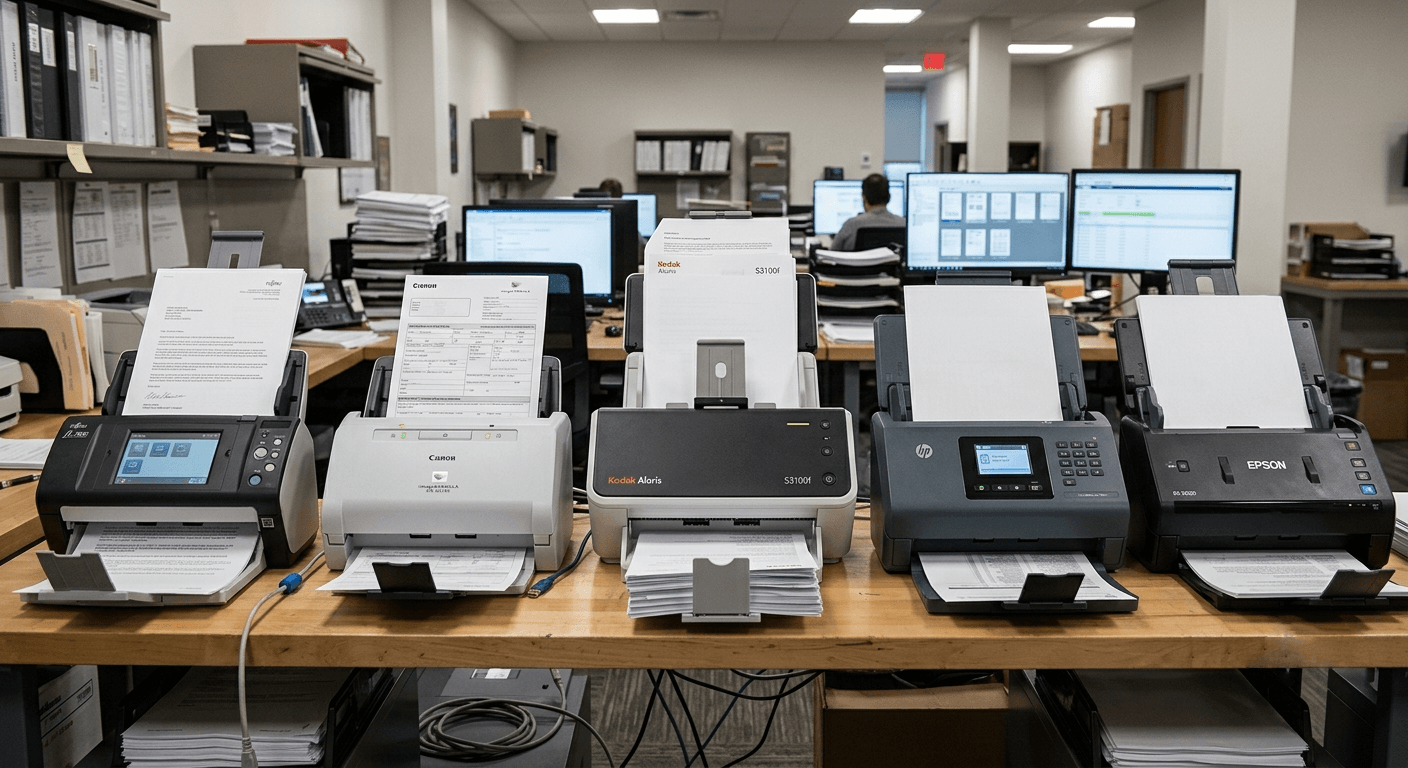
A successful digitization project starts with the right scanning equipment. Whether you are scanning a few documents per day or tens of thousands per week, choosing a scanner that matches your volume and quality requirements is essential. SwiftFiles Solution supplies a comprehensive range of professional-grade document scanners to meet the needs of businesses, government agencies, and service bureaus.
The scanner you choose directly determines the quality of your digital images. A scanner with insufficient resolution or poor optics will produce unusable outputs regardless of how skilled your operators are. Image quality affects everything from OCR accuracy to the legibility of fine print on legal documents, and once documents are scanned and destroyed, there is no second chance to capture a better image.
Throughput is another critical factor shaped by your scanner choice. A production scanner rated at 120 pages per minute can process a full archive in days, while a departmental flatbed might take weeks for the same volume. The cost of slow throughput extends beyond labour — it delays downstream processes such as indexing, quality review, and data migration, pushing back the entire project timeline.
Total cost of ownership varies dramatically between scanner classes. Entry-level scanners have lower upfront costs but higher per-page consumable expenses and shorter lifespans, often requiring replacement within two to three years under heavy use. Mid-range and production-class scanners command higher initial investments but deliver dramatically lower cost per page over their operational life, making them more economical for any project exceeding a few thousand pages per month.
Project success hinges on matching scanner capabilities to your specific document types. A mixed collection of brittle newsprint, stapled reports, glossy photographs, and carbon-copy forms demands a scanner with adjustable feeding mechanisms, multiple image processing options, and the durability to handle non-standard media without jamming or damaging originals. Choosing incorrectly leads to repeated scanning, damaged documents, and budget overruns.
Production scanners are the workhorses of high-volume digitization. Designed to process tens of thousands of pages daily, these machines feature heavy-duty paper paths, ultrasonic double-feed detection, and duty cycles exceeding 100,000 pages per month. They excel in service bureau environments, large corporate digitization projects, and government archive conversions where speed and reliability are non-negotiable.
Flatbed scanners remain indispensable for fragile, bound, or irregularly sized documents. When a historical register, a well-worn map, or a staple-bound report cannot safely pass through an auto-feeder, a flatbed scanner allows careful page-by-page capture without risk of damage. Many production environments keep at least one flatbed unit alongside their high-speed feeders to handle exception documents that cannot be automated.
Wide-format scanners are purpose-built for engineering drawings, architectural blueprints, maps, and oversized artwork. These scanners capture widths up to 60 inches or more and often include specialised software for stitching overlapping scans of extremely large documents. For organisations managing technical records, a wide-format scanner is essential for digitising A1, A0, and custom-sized sheets that would not fit through standard document feeders.
Sheet-fed scanners with duplex capability capture both sides of a page in a single pass, effectively doubling throughput for double-sided documents. Automatic Document Feeders (ADF) range from 50-sheet capacity on entry-level models to 750-sheet or higher on production scanners. Mixed-batch processing — the ability to feed documents of varied sizes, weights, and conditions in a single batch — is a hallmark of advanced scanners and dramatically reduces the manual sorting labour required before scanning begins.
Resolution, measured in dots per inch (DPI), is the most frequently cited specification but also the most misunderstood. For most document scanning, 200 to 300 DPI produces excellent OCR results and legible text while keeping file sizes manageable. Higher resolutions — 400 to 600 DPI — are recommended for capturing fine detail such as signatures, small type, or intricate diagrams, while archival projects may specify 600 DPI to future-proof digital surrogates against unknown future uses.
Scanning speed is expressed in pages per minute (ppm) for simplex and images per minute (ipm) for duplex scanning. A scanner rated at 60 ppm or 120 ipm sounds fast, but real-world throughput depends on resolution, colour mode, image processing settings, and the condition of the documents being fed. Manufacturers typically quote speeds under optimal conditions, and actual sustained throughput in a production environment may be 20 to 30 percent lower once operator handling and quality checks are factored in.
Duty cycle defines the recommended daily or monthly scanning volume for reliable operation. Exceeding the duty cycle shortens the lifespan of rollers, motors, and image sensors and increases the frequency of jams and service calls. A departmental scanner may have a duty cycle of 5,000 pages per day, while a production-class unit can handle 40,000 or more. Matching duty cycle to your expected volume is essential for avoiding downtime during critical project phases.
Colour depth — typically 24-bit for colour and 8-bit for greyscale — determines the range of tones and hues the scanner can capture. Higher bit depths, such as 48-bit colour or 16-bit greyscale, are important for photographic and heritage scanning where subtle tonal gradations must be preserved. Connectivity options have also evolved: while USB 3.0 remains common, many production scanners now offer Gigabit Ethernet for direct network integration, enabling centralised scanning across multiple workstations without dedicated PC connections.
Modern scanning software goes far beyond simply pressing the scan button. Advanced features such as automatic cropping, deskew, blank page removal, and colour detection dramatically reduce the manual post-processing effort required. Auto-crop identifies the edges of each document and trims borders uniformly, while deskew corrects pages fed at an angle — both critical for producing professional-looking digital files from batches of imperfectly aligned originals.
Blank page removal saves storage space and eliminates the need for manual review of batch contents by automatically detecting and discarding pages that contain no meaningful content. Colour detection allows the scanner to automatically switch between colour, greyscale, and black-and-white modes on a page-by-page basis, applying colour capture only when needed to minimise file sizes without sacrificing quality on documents that genuinely need colour representation.
OCR integration is a cornerstone of productive scanning workflows. The ability to generate searchable PDFs, editable Word documents, or text-indexed TIFF files directly from the scanning interface eliminates a separate processing step and accelerates the path from paper to searchable digital records. Most professional scanners include or are compatible with OCR engines such as ABBYY FineReader or Tesseract, offering recognition accuracy exceeding 99 percent for clean typed documents.
Integration with Enterprise Document Management (EDMS) platforms is essential for organisations that route scanned documents directly into structured repositories. Leading scanner manufacturers provide drivers and middleware that integrate with systems such as SharePoint, OpenText, DocuWare, and Laserfiche. Batch separation using patch sheets, barcodes, or blank page detection enables automatic division of mixed document sets into distinct records, each routed to the correct folder or workflow without operator intervention.
Document scanner rollers and separation pads are wear items that require regular replacement. A typical schedule replaces rollers every 100,000 to 200,000 pages, though actual lifespan depends on paper quality, ambient dust levels, and the condition of documents being fed. SwiftFiles Solution recommends maintaining a spare roller kit on-site to minimise downtime, as worn rollers are the leading cause of paper jams and multi-feed errors in production environments.
Cleaning protocols are just as important as parts replacement. Dust, paper fibres, and adhesive residue accumulate on rollers, glass strips, and image sensors, degrading scan quality and causing feeding issues. A daily cleaning regimen using isopropyl alcohol and lint-free wipes for rollers and glass, combined with weekly compressed-air cleaning of internal sensors, dramatically extends the interval between service calls and maintains consistent image quality across long scanning sessions.
Troubleshooting common issues such as skewed feeds, repeated jams, or vertical lines on scanned images can often be resolved without a technician. Vertical lines typically indicate a speck of debris on the image sensor glass, corrected by a simple cleaning. Repeated jams at the same point in the paper path suggest a worn roller or a foreign object lodged in the mechanism. SwiftFiles Solution provides detailed troubleshooting guides with every scanner and remote diagnostic support for rapid resolution.
Warranty coverage and service agreements are as important as the scanner hardware itself. Standard manufacturer warranties typically cover one year with on-site or return-to-depot options, while extended service agreements can provide guaranteed response times, replacement units during repairs, and scheduled preventive maintenance visits. SwiftFiles Solution acts as the intermediary for warranty claims and service coordination, ensuring that your scanning operations are restored with minimal interruption.
The purchase price of a scanner is only a fraction of its total cost of ownership. A comprehensive TCO analysis must account for consumables, maintenance, software licensing, facility costs, and operator labour over the expected life of the equipment. An entry-level scanner priced at under 2,000 USD may appear economical, but when consumable costs of 0.02 to 0.05 USD per page and a duty cycle of only 3,000 pages per day are factored in, the per-page cost over three years can exceed that of a production scanner costing five times as much.
Leasing offers an alternative to outright purchase that can improve cash flow and simplify technology refresh cycles. Operating leases typically include maintenance, consumables, and the option to upgrade equipment at the end of the lease term, converting a capital expenditure into a predictable monthly operating expense. For organisations with finite digitisation projects, short-term rental agreements provide access to production-grade equipment without the long-term commitment of ownership.
Cost per page calculations should factor in every variable: consumables (rollers, pads, bulbs, filters), electricity, network storage, operator wages, and the allocated cost of the scanner itself over its useful life. A diligent calculation might reveal that a departmental scanner operating at 10,000 pages per month costs 0.015 USD per page, while a production scanner handling 100,000 pages per month achieves 0.003 USD per page — a fivefold difference that magnifies with volume.
Software licensing is an often-overlooked TCO component. Professional scanning bundles, OCR engines, barcode recognition modules, and EDMS connectors may carry one-time license fees or recurring annual subscriptions. Open-source alternatives such as Paperless-ngx or SANE-based scanning reduce software costs but may require custom integration. SwiftFiles Solution advises clients to model software costs alongside hardware over a five-year horizon to produce a complete and realistic TCO estimate.
Pre-installation site preparation ensures that your scanning environment is ready for the equipment from day one. SwiftFiles Solution assesses power requirements, network connectivity, physical space, and workstation ergonomics before delivery, coordinating any necessary electrical or networking upgrades. Proper site preparation prevents installation delays and operational issues that arise from inadequate power supply, poor lighting, or insufficient ventilation around high-speed scanning equipment.
Operator training programmes are tailored to each client's specific scanner model and workflow. Training covers daily operation, routine maintenance, software configuration, and troubleshooting of common issues. Hands-on sessions with supervised scanning of actual client documents allow operators to build confidence before independent production begins. SwiftFiles Solution also provides reference materials, quick-start guides, and video tutorials for ongoing reference as new staff join the team.
Ongoing technical support is available through multiple channels including phone, email, and remote desktop assistance. First-line support resolves configuration questions, software issues, and minor mechanical problems without requiring a site visit. When hardware repairs are necessary, SwiftFiles Solution coordinates with manufacturer service centres to dispatch certified technicians, manage warranty claims, and track repair progress to ensure timely resolution.
Firmware updates and manufacturer-driven improvements keep your scanner performing at its best. Updated firmware may resolve feeding issues, improve image processing algorithms, or add new features such as support for additional patch sheet formats. SwiftFiles Solution monitors manufacturer release notes and proactively notifies clients when relevant firmware updates become available, including guidance on update procedures and any configuration adjustments required after installation.
Need a Scanner?
Contact us for competitive pricing and expert advice on the right scanner for your needs.
Inquire Now